jongloey

ONLINE BOOKING

Book anytime with Jongloey

Jongloey gives your shop its own booking page. Linked with Line menu, in your profile, or as a QR code on the counter — and customers pick a service, pick a time and pay. Nothing to install.

  • Customers sign in with LINE
  • PromptPay QR or bank transfer
  • Payment slips checked automatically
  • Thai and English throughout

PLANS AND PRICING

Two plans

Installation cost: 3,000 Baht, with 1 month free, on either plan.

Standard

800 Baht/ month

  • Included:Unlimited reservations
  • Included:Your own booking page with your logo, services, prices and durations
  • Included:Choose how customers start: pick a date first, or pick a service first
  • Included:Per-day opening windows, blocked dates, capacity per session, and several times on one payment
  • Included:PromptPay QR or bank transfer
  • Included:Automatic slip checking, with anything unclear held for your review
  • Included:Full console: bookings, payments, services, blocked dates and CSV export
  • Included:Google Calendar sync per service
  • Included:A wallet at your store — customers top up, pay for bookings from their balance, and refunds go straight back into it
  • Not included:Instructors — each with their own working hours and days off, the services they cover, and their own day calendar
  • Not included:Customer's tier — mark your regulars as Member
  • Not included:A separate advance-booking window for Member customers
  • Not included:Booking-confirmation email with a calendar links
  • Not included:Discount coupon codes
Additional shop: +300 Baht / month, on either plan.

DEMO SHOP

Users and Admin demo shop

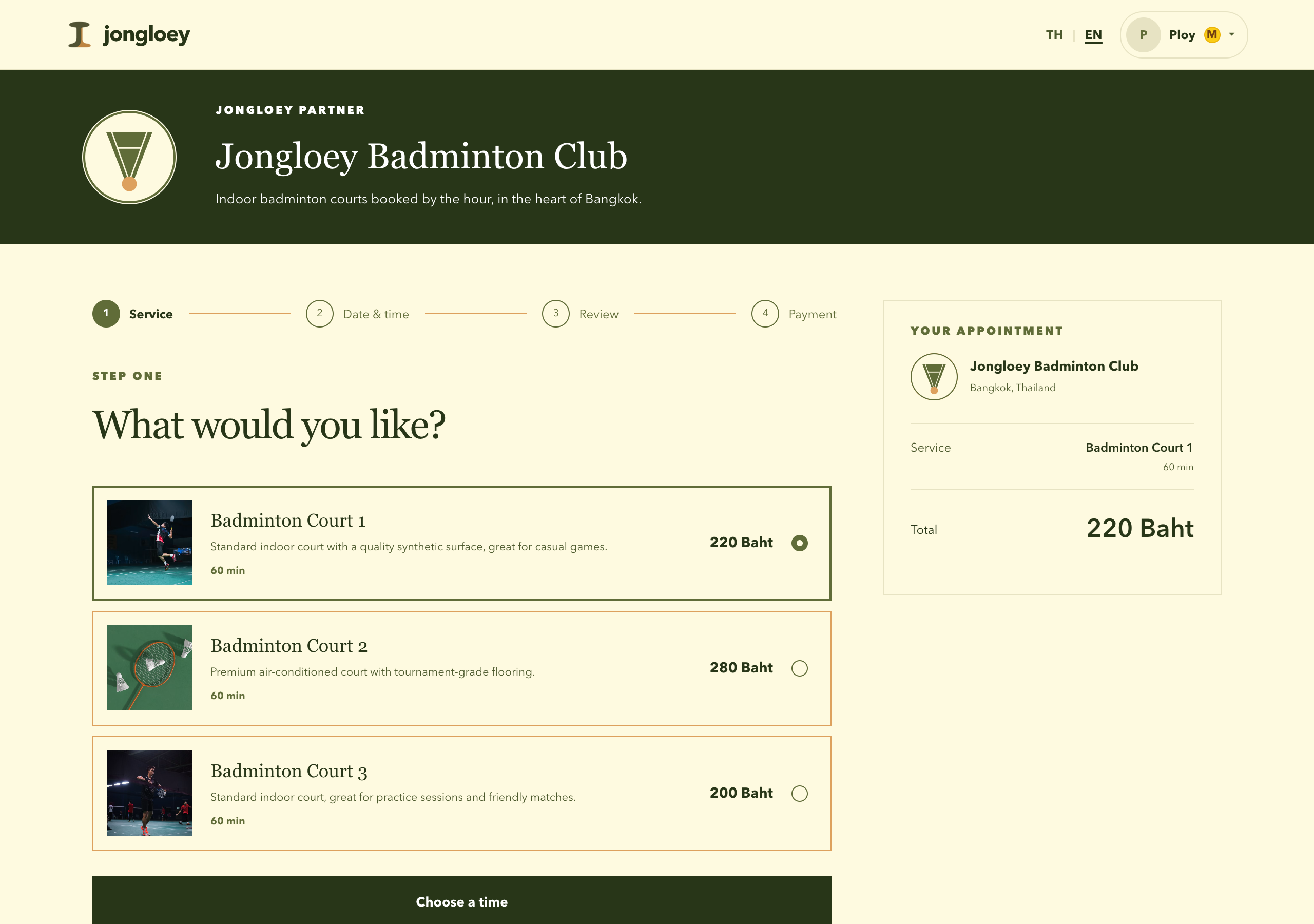
A shop booking page showing the shop banner above a list of services with prices and durations.
Your store in Desktop

Your logo,your services with photo, price and duration.

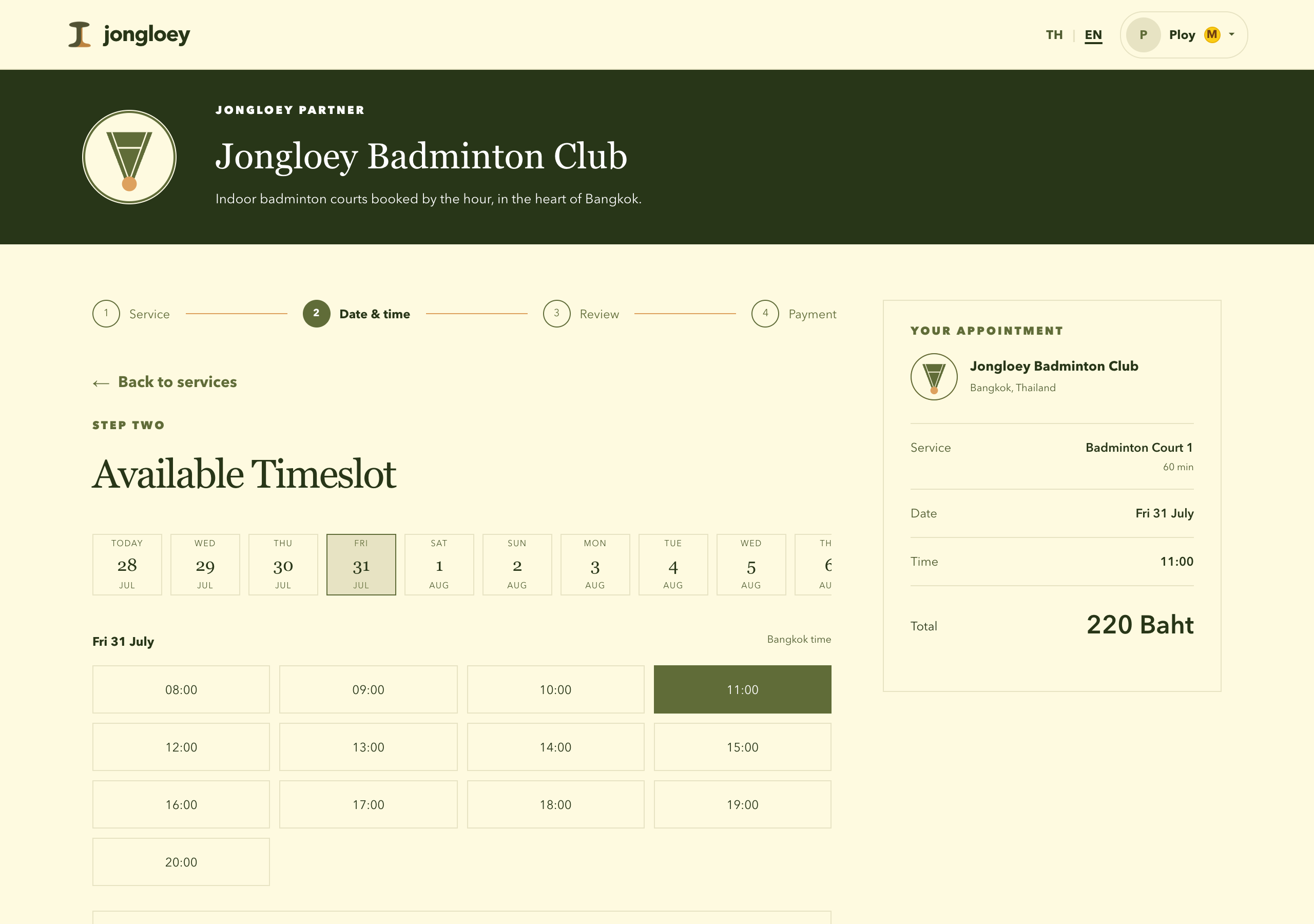
The date-and-time step, with a row of selectable dates above a grid of available times.
Picking a date and time

A rolling strip of dates and a grid of times, offering only what is genuinely free.

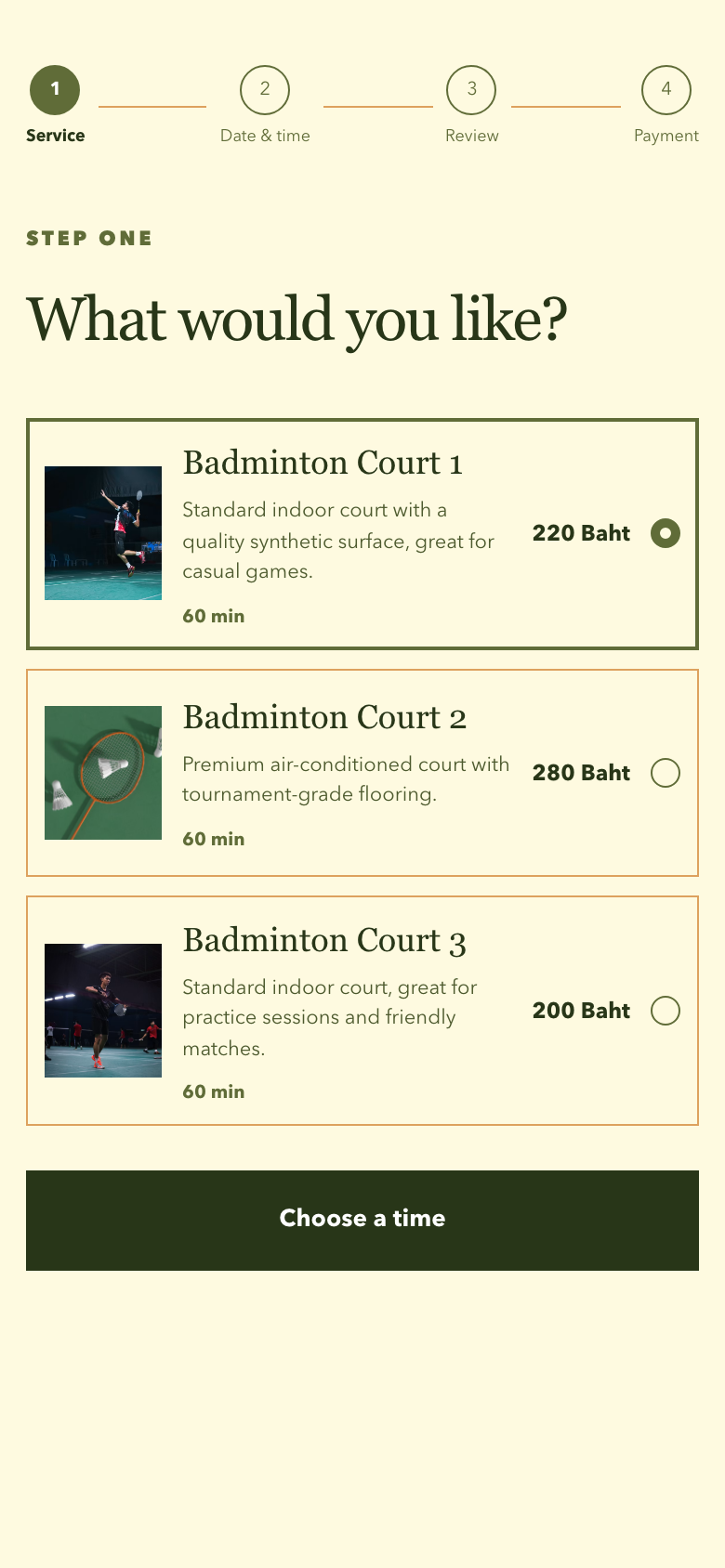
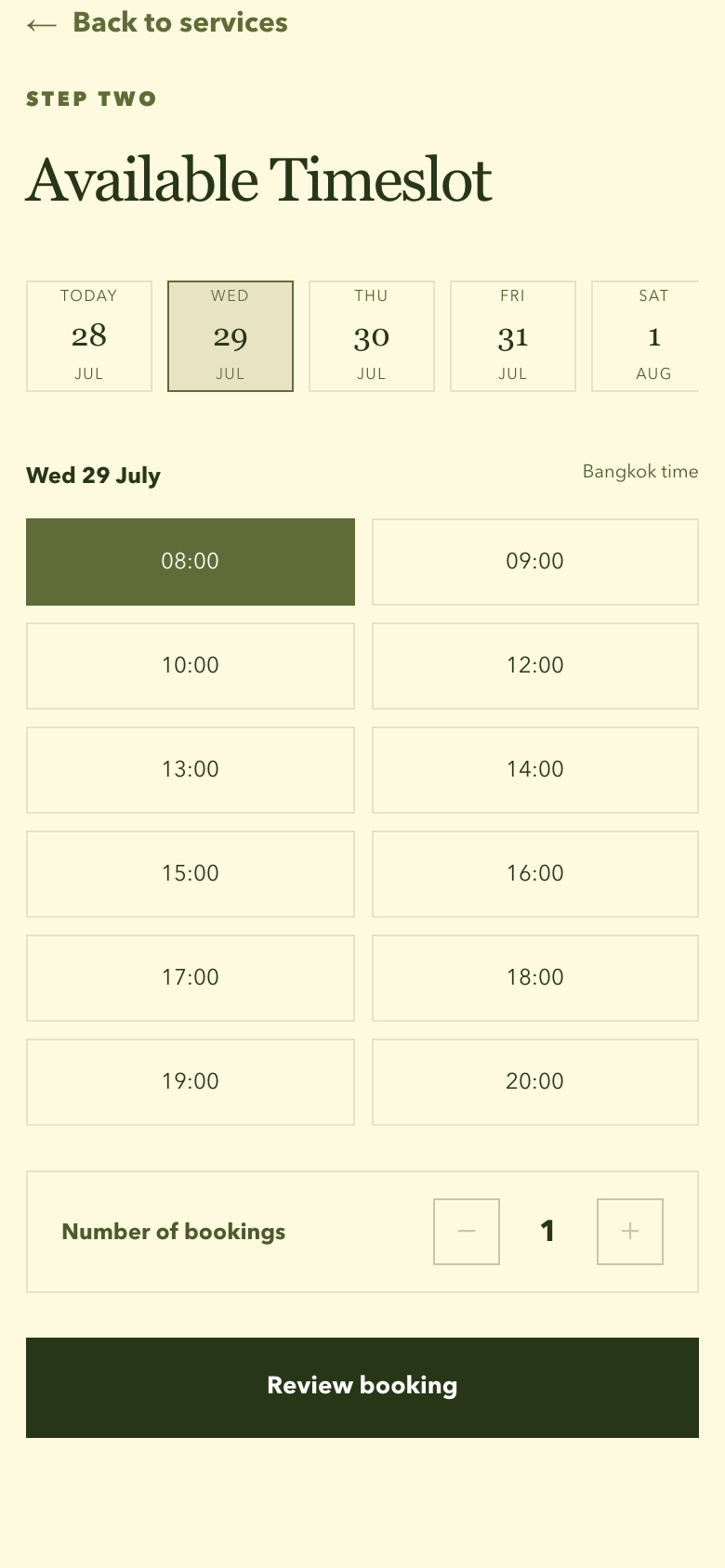
The service step on a portrait phone screen, showing three services with a photo, description, price and duration each, the first one selected, above a button to choose a time.The date-and-time step on a portrait phone screen, showing a strip of dates with one selected, a grid of available times with 08:00 selected, a number-of-bookings stepper and the review booking button.
Steps on a phone, inside Line

Pick the service, then a day and a time that is genuinely free.

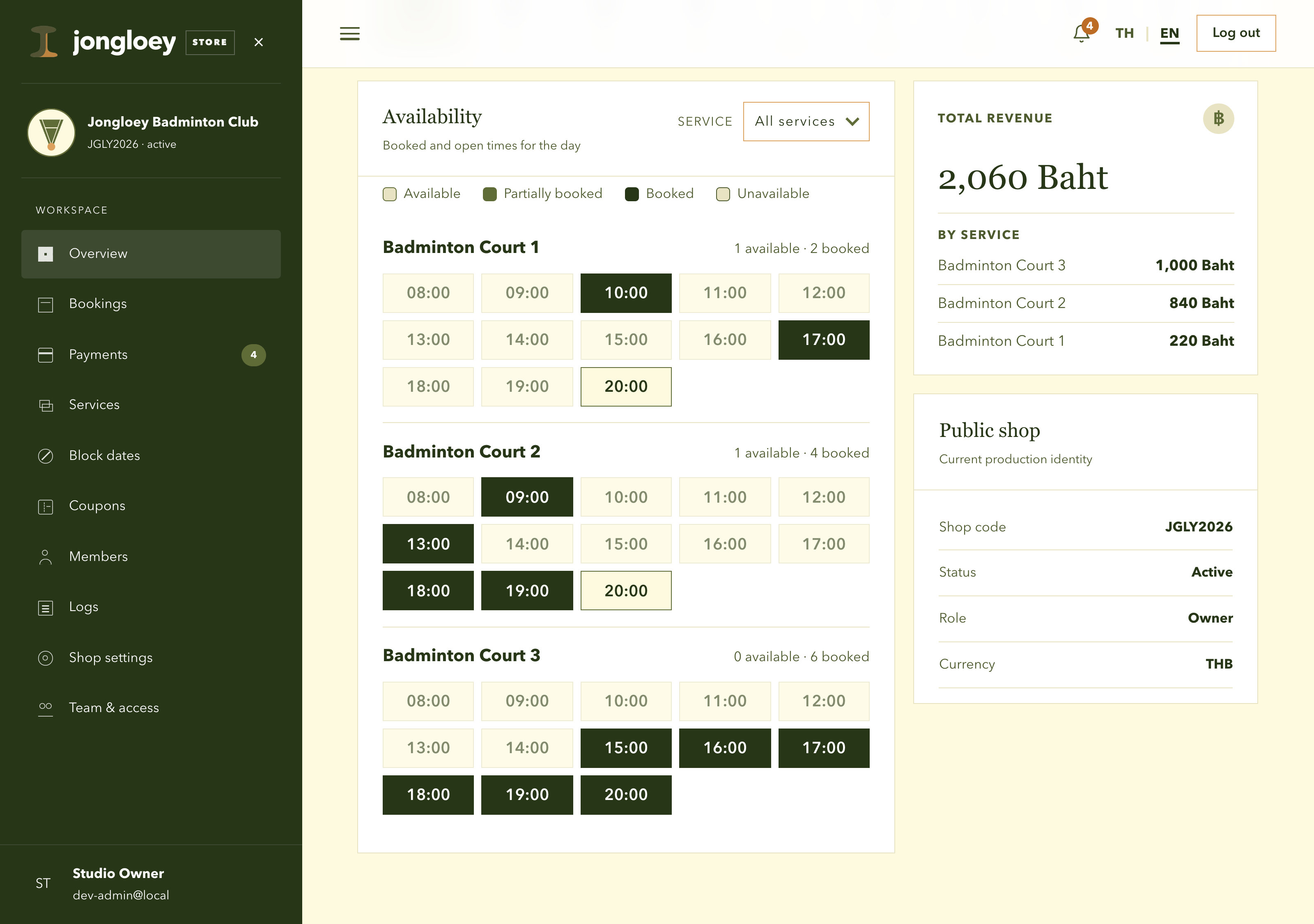
The admin overview, showing a date strip, per-service timeslot chips and revenue figures.
Admin Overview

Today's timeslot per service, colour-coded free, part-booked and full, with the total revenue.

GETTING STARTED

Contact us to open your shops

Send us a message either on LINE or Facebook. We will set up your booking page within 24 hours.